Question

Parts Total Count

  • Oct 28, 2026 7:55 AM UTC
  • 2 replies
  • 50 views

Forum|alt.badge.img

Can anyone give me guidelines how to see the total parts count I have in my inventory.

2 replies

James Beers
Forum|alt.badge.img+5
  • Advanced Operator
  • Oct 28, 2026 3:12 PM UTC

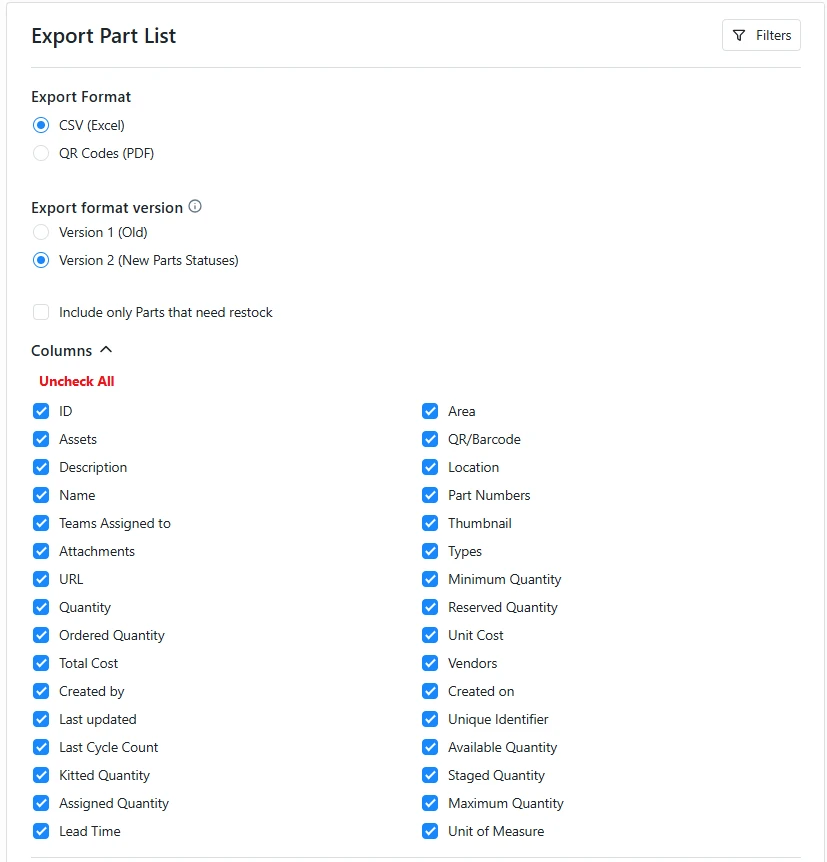
Go to “reporting” and click on “Export Data”. From there click “columns” dropdown. It will then give you a list of points to choose which information you want.

Once you have this in an Excel form, you can total your quantity in the sheet with a “SUM” formula for the quantity column.


AngelinaE
Forum|alt.badge.img+2
  • MaintainX Team
  • Oct 28, 2026 6:38 PM UTC

Hi Mark, thanks for reaching out. There are a few possible approaches, depending on your goal. 

If you mean the quantity of one specific part: Open your Parts Inventory, search for the specific part, and check “In Stock” for the total units on hand. If it’s stored in multiple locations, you can turn off “Show per Location” to see the combined quantity. One note: Parts status/availability is different: it excludes stock committed to work orders. ⁠

If you mean the total quantity of inventory across all parts, you can try this: On the web app, go to Reporting → Export Data → Parts, and export a .csv with the Quantity column. You can then sum it in Excel or Google Sheets. Use “Available Quantity” instead if you want the total not committed to work orders. With multi-location parts, the export has a row per location, so be sure to include all rows when summing. ⁠

⁠Please let me know if you have any follow up questions!