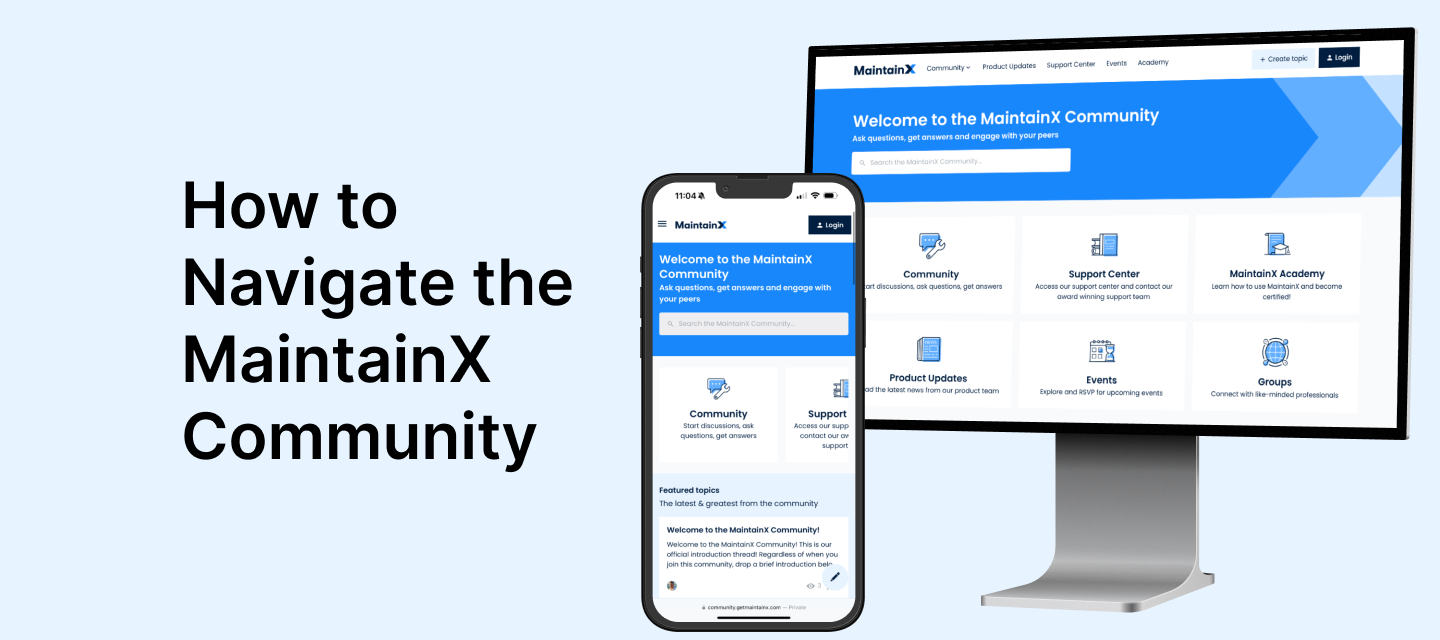
Learn how to navigate and get the most out of our community
Recently active
Welcome to the MaintainX Community! This is our official introduction thread!New to the community? Read the guidelines here.Regardless of when you join this community, drop a brief introduction below.Share (what you’re comfortable with) your job title, industry, how long you’ve been using MaintainX and a fun fact! Brief Introduction from me:I'm Nick Haase, a proud co-founder of MaintainX, and I'm thrilled to welcome you to our new community. Over the last five years, I've had the honor of collaborating with world-class professionals, both within our MaintainX team and among our esteemed clients.My passion lies in helping organizations to modernize their reliability strategies, a crucial step in adapting to our ever-evolving world. The work done in our industry is foundational, keeping the lights on and the world moving. I firmly believe in the power of collective effort — sharing best practices is essential for the long-term success and stability of the critical systems we rely on.On a
Welcome to the MaintainX Community! This guide is your key to navigating and engaging with our vibrant platform. Home Page Overview:Think of this as the new front door for MaintainX users. Everything you need to learn more, get help, access our Academy, Product Updates, Events and more!Center Section: Here you’ll find easy access to our top sections tailored to support your journey with MaintainX. Search Bar: Our dynamic search will search across MaintainX Community posts and our Support Center articles to help you access the information you need. Don’t see an answer to your question? Create a new topic and ask the community!Exploring Topics:Utilize the search icon for keyword-based topic discovery. Select a category to delve deeper into specialized discussions. Key Categories:Introduce Yourself: The MaintainX Community wants to get to know you! Share your story, introduce yourself to fellow members and check-in regularly to learn more about the folks who are joining our community an
We’re thrilled to have you in the MaintainX Community! This space is dedicated to fostering a supportive, informative, and respectful environment for all our members. Please adhere to the following guidelines: 🛠️ No Selling or Self-Promotion: This platform isn’t for selling or promoting your products/services. Let’s keep our focus on knowledge sharing and collaborative growth. Community members who are official MaintainX partners may advertise their services only in specific sections of our community and must be transparent with their offerings. 🗣️ Harassment-Free Zone: We have zero tolerance for bullying, sexism, racism, or any form of harassment. This is a community that respects and values each member.🔐 Confidentiality is Key: Please don’t share any proprietary or confidential information from your company or others. Respect privacy and intellectual property rights.🤝 Keep it Civil and Professional: We encourage direct, honest conversations in a respectful and professional manner
Hello community, thank you for this space. Recently, 35 machines that had Work Orders were decommissioned and sold. I now want to classify those machines as 'retired assets' and stop the work orders assigned to those assets, but I'm not sure what the proper procedure is in this section.Could anyone guide me on the best process to make the most out of MaintainX? Or anyone who has gone through the same situation it seems too simple to just set the asset as offline and leave it at that. Regards.
Hi, I’ve a customer who’s going to start to use MaintainX and I am going through the Admin certification so maybe I’ll find this out during the course, but when using the Part uploader does the sample spreadsheet contain all of the columns that are available or are there more - and does the same apply for all spreadsheet uploads?
Hello,My name is Brian and new to MaintainX as of a couple of days ago. I signed up for the 30 day trial to see what it’s all about. So far I’m liking it.I've been in the aerospace and defense industry as a cnc machinist / programmer for 30+ years. In that time I was also a service manager for a machine tool distributor with over 300 cnc machines in the field. I'm looking to get back into the service industry so I thought I'd start playing with MaintainXI took the MaintainX Administration Certification yesterday and got my award.I’m looking forward to be able to contribute to the community as well as learn from others.Brian from Arizona
Hi folks, I’m new to MaintainX and still finding my feet.I need to understand how to prompt a follow-up Work Order if a Yes / No / N/A field is flagged as “NO”Any help very gratefully received.
First thing first is Hi everyone & thanks for having me in this community along with many MaintainX users. Looking forward to share & hear everyone’s story.My name is DanX. I been with the wood truss industries for more than 10 years. My role is Senior Maintenance Technician. Task to be assure in maintaining & preventative on our equipments overall. We work with MiTek machineries (automation wood processing systems). Before MaintainX I have been using CMMS. Now I been using MaintainX since 2019 and I must say; this app/program have bring Me to a new level of inventory control, schedule PMs, assigning work orders to specific individuals. Stay in one work chat group instead of multiple different groups, requestor pushing out work orders to be confirm before assigning to someone. Easy to use if put enough time & effort to understand the concept & categories.
Hi everyone,We’re using MaintainX with technicians who are fully remote or distributed across multiple sites. I’m curious how others handle onboarding, work order consistency, and performance visibility when your maintenance team isn’t onsite full-time.Any best practices for structuring roles, permissions, or workflows to keep remote technicians productive and accountable would be really helpful.
Hi MantainX, my name is Juston Bartholomew, Im a new wind turbine technician for Aerones. And I'm asking for guidance to find spare parts, and order new as well in the app. I cant find it. Thank you Sincerely
Hello, my name is Jon Little. I am a maintenance technician for Aurora Material solutions. I’ve been in the maintenance field for a year and a half. I’m a part time college student building my skills for my trade. This is my first time using MaintainX.
Is there a way when a PO is created for a part that is ordered, can that automatically be tied and charged out to the work order that the Tech has created for that unit?
Hi all, Tom here. I’m new to the platform and so far, very Happy with the Information available. I’ve been in automotive repair for over 40 years and made the change to Industrial maintenance 3 years ago. I moved from preventative Maintenance to Supervisor two years ago.
Hi, how are you guys organizing your mini split systems in your asset tree. For example, do you have an asset that then consists of two sub assets. The sub assets being a condenser and an evaporator? any advice on how you have yours set up would be appreciated. Thank you in advance.
Hi All! I am new to MaintainX! I need to export all my 2024 Work Orders to my drive for back up. Is there anyway to do this other than doing them individually?
Does anyone know how to get the receipts you upload in the work order to automatically enter each item line to the cost tracking by itself?
If I scan the QR code for creating a new work request, it displays a data entry screen on my iPhone. Unfortunately, the data entry screen does not include a drop-down list for Location. Can this screen be updated to include data entry for Location?
Hello all,I am new to Maintain x and I am in the process of setting my company up on the software. Im looking to set up the system in such a way that I am able to track everything as efficiently as possible. I want to set up PM for motors that we have here where Technicians take the amperage reading of 3 phase motors and put the readings in to the software. I want to use meters to be able to record and track trends for each phase. Are any of you all doing this?
Hello MaintainX Community! I’m pleased to announce the publication of a new course in MaintainX Academy - the Enterprise Showcase.In this course, you’ll learn how to use MaintainX’s Enterprise-tier capabilities to evolve your maintenance operations. The course is divided into four sections, each focusing on an area in which MaintainX’s Enterprise account plan can drive improvement:Enhancing maintenance maturity through condition-based and predictive maintenance Improving capital efficiency through effective asset, labor, and inventory utilization Strengthening control over your CMMS through built-in governance such as single sign-on and custom user permissions Tailoring and circulating data to drive continuous improvement across sitesIf you are considering upgrading to the Enterprise account plan, or you are currently on the Enterprise account plan and want to ensure you are using it to the fullest extent, this course if for you.Enroll today!
Do you have feedback about your experience learning to use MaintainX? We’d like to hear from you! The MaintainX Customer Education team is currently running a short survey to understand the topics, methods, and mediums that you would like to see from MaintainX training resources (such as MaintainX Academy, instructional webinars, and more). Take the survey to have your feedback heard!
To our amazing MX community,We have been providing support 24/5 with unofficial coverage during the weekend. Many of you have asked and we listened- 24/7 Customer and Product Support is now available.We are always here and happy to help.😀
Hey there, MaintainX Community!Want to get more involved and make the most of your time here? One great way is to ask good questions that start interesting talks and help everyone learn. It doesn't matter if you're new or have been around for a while, asking questions helps you and all of us here. Let's go over some easy tips for asking a great question in the MaintainX Community:Keep it Simple and Clear: Your question should be easy to understand. Don't use confusing words or too much technical talk. A clear question gets better answers. Explain Your Situation: Tell us what you're dealing with. Share details about what you're trying to do or fix. This helps us give you answers that really fit your needs. Good Titles Help: Use a title that tells us what your question is about. A clear title catches the eye of people who can give you the best advice. Look Around First: Before you ask, see if someone else asked something similar. This keeps the community tidy and might get you an answer
Already have an account? Login
No account yet? Create an account
Enter your E-mail address. We'll send you an e-mail with instructions to reset your password.