Question

Obsolete Parts Report

  • September 21, 2026
  • 1 reply
  • 39 views

Forum|alt.badge.img

I need to generate an Obsolete Parts Report based on the last used/transaction date. Can this be done without having to download the entire transaction records for every part (I have ~1000 inventory items)? Even better would be the ability to specify all parts with a last used/transaction date before a specific date. 

1 reply

Katja K
Forum|alt.badge.img+2
  • MaintainX Community Team
  • October 1, 2026

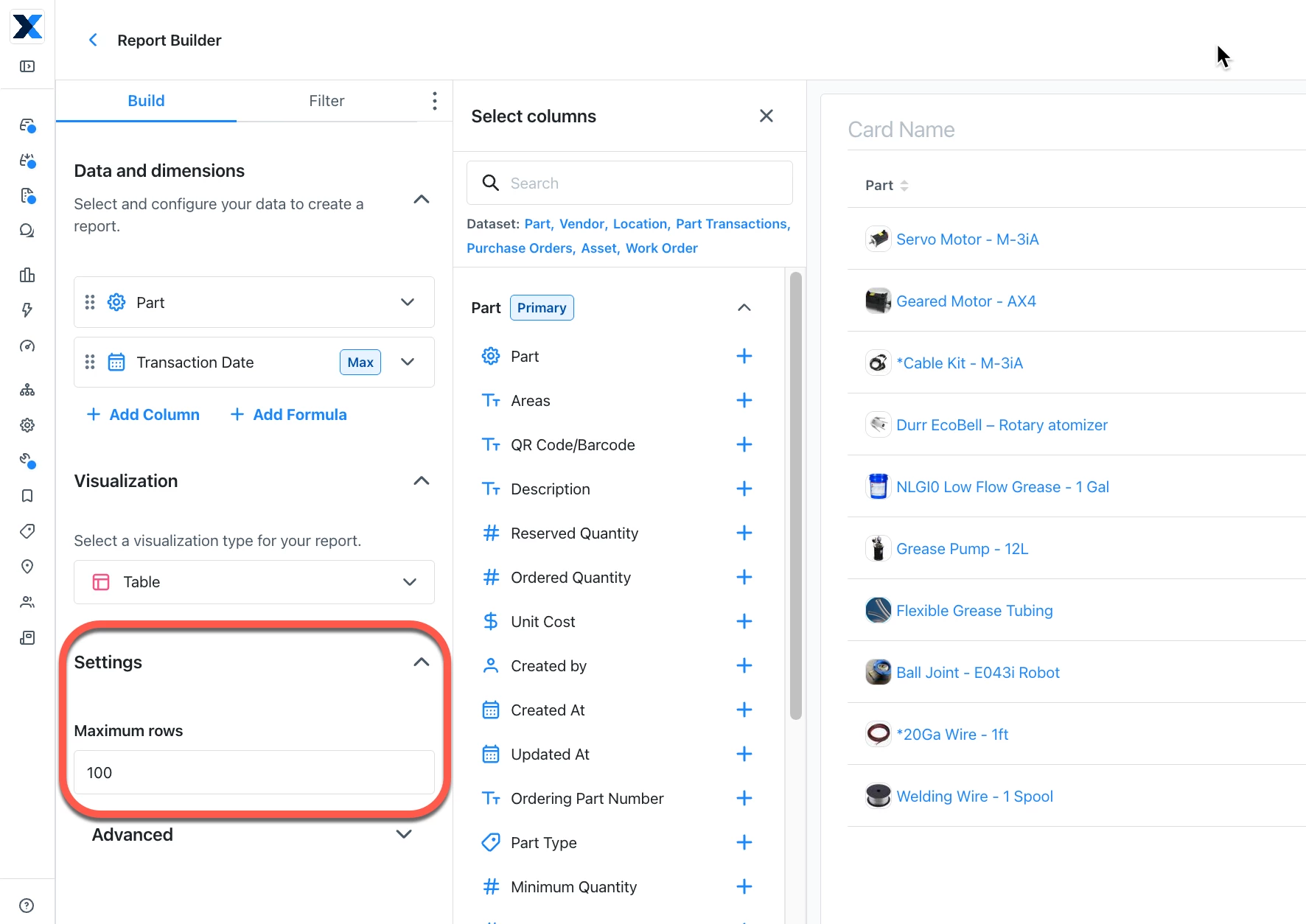
Hi ​@ARAJCA! Thanks for your great question. Here are the steps you can take to build this report in Report Builder: 

  1. Go to Reporting. 
  2. Click + Build report in the top right hand corner. 
  3. Select Build manually. 
  4. Select the Parts dataset. 
  5. The Parts column should automatically appear in your table, since you’re using the Parts dataset. 
  6. Add the Transaction Date column. 
  7. The Transaction Date column should already be set to Maximum under Aggregation, to show each part’s latest transaction. 
  8. You can then filter for dates before your cutoff. Click Filters, add Transaction Date, and select your date range. 

I hope this helps you get the answers you need. For more information about building reports in MaintainX, check out our eLearning course called Building Custom Reports.

Thanks again!