Question

Print completed procedures for a specific time frame?

  • January 15, 2026
  • 1 reply
  • 4 views

  • Emerging Technician

For regulatory visits, we are asked to provide procedures that were completed i.e. daily facility rounds etc.  

How do I print a time frame for these?

1 reply

Zach Brown
Forum|alt.badge.img+6
  • MaintainX Community Team
  • January 15, 2026

Hi ​@Les 👋 There’s a few ways you could go about running this export in MaintainX, so I’ll suggest what I think is the most straightforward.

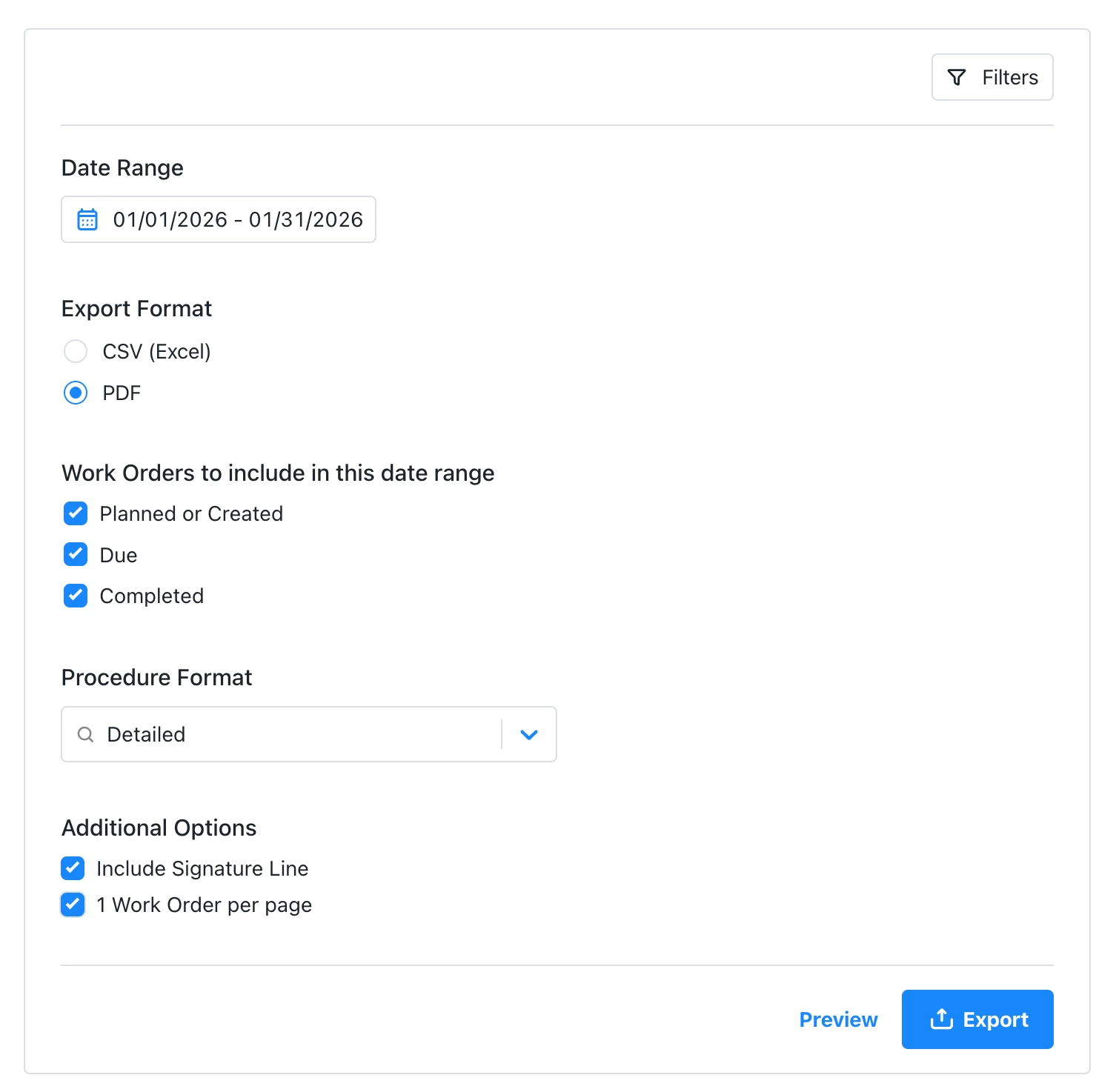
  • Navigate to Settings > General
  • Scroll to the Export Data section and select ‘Work Orders’
  • Set the date filter to the timeframe you need
  • Select the export format - I’d recommend PDF, set the Procedure Format to ‘Detailed’ (so you can see all of the procedure field inputs), and select ‘ 1 Work Order per page’ (easier to read/audit)

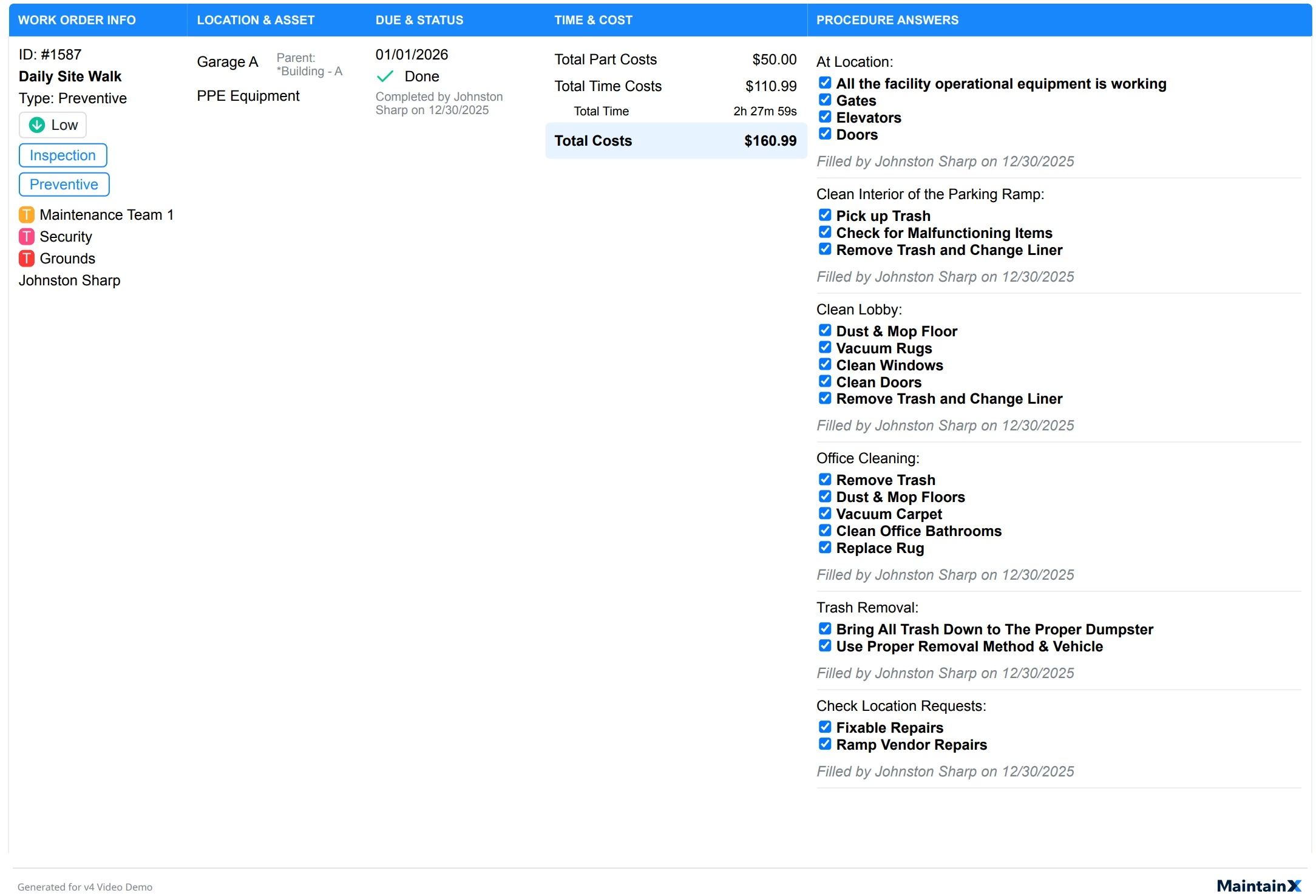
Here’s an example of what an exported work order looks like in this format:

You could obviously play around with the export configuration options to suit your needs (e.g. CSV instead of PDF, summaries instead of details, procedures with flags and failures only, etc).


Hope this helps!