Question

Proper use/view of Work Order Activity

  • March 17, 2026
  • 1 reply
  • 31 views

Hello, I’m new to CMMS and we’re currently rolling it out across the entire plant. I’m the system admin, and I feel like one of two things is happening:

  • I’m not using the system correctly, or

  • I’m missing a key component of how it should be set up

Right now, I’m getting a high volume of notifications, but most of them aren’t very useful. For example, I don’t necessarily need updates every time a work order is completed.

What I do need is visibility into things like:

  • When a technician or team needs a part ordered

  • When someone leaves a comment asking for help or guidance

At the moment, it feels like I’m getting a lot of data, but not the right information to effectively manage my department. The system seems great for tracking activity, stats, and workflows—but not as helpful where it matters most for day-to-day decision-making.

I’d really appreciate the chance to connect with someone who has experienced this and found a solution. I’m open to any suggestions or best practices.

If I need to clarify anything further, please let me know.

1 reply

AnojaVigneswaran

Hi ​@GregF,


You can customize your notifications so you’re only getting the updates that matter most.

Here’s how to adjust them:

  1. Access your notification settings

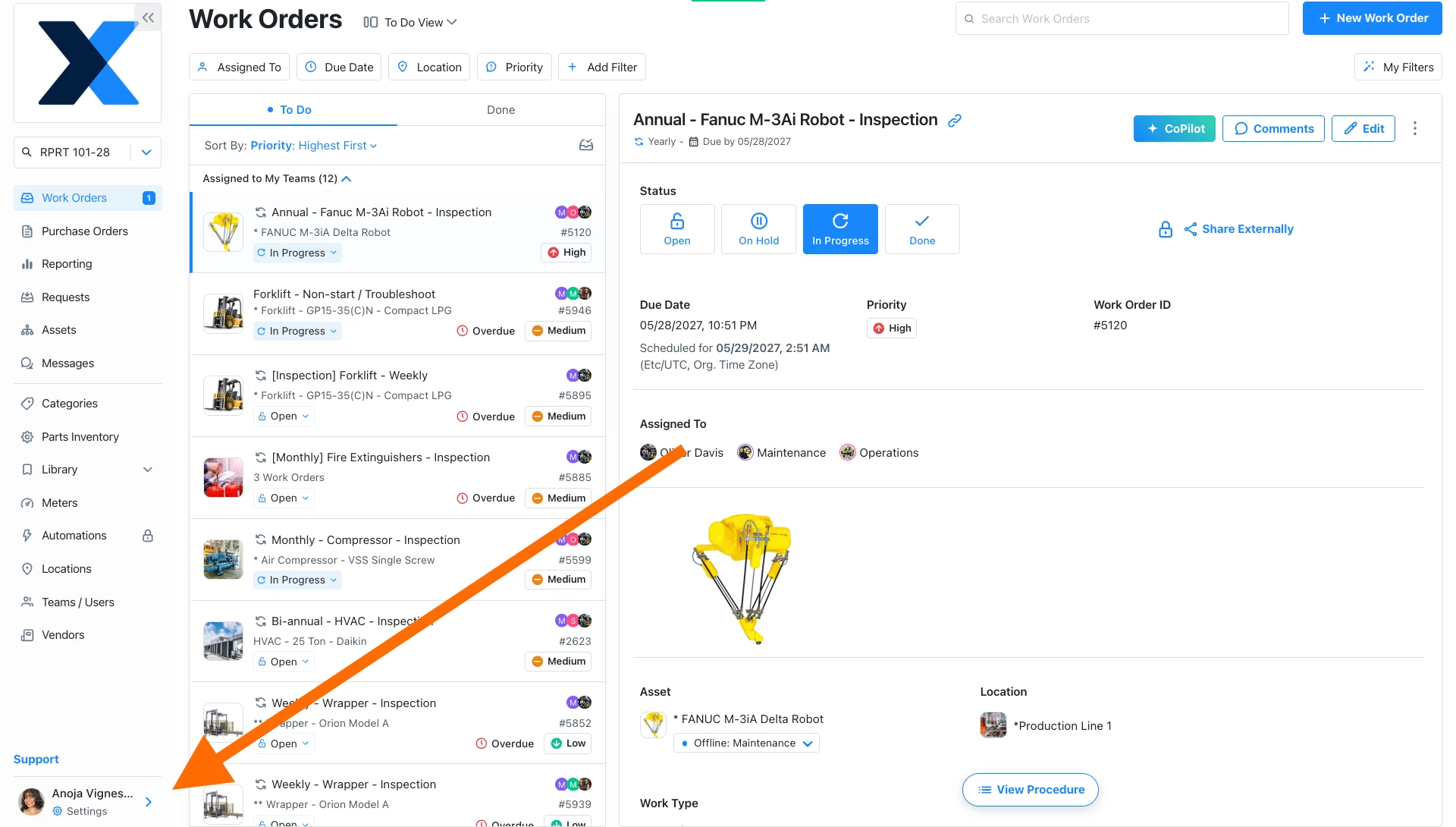
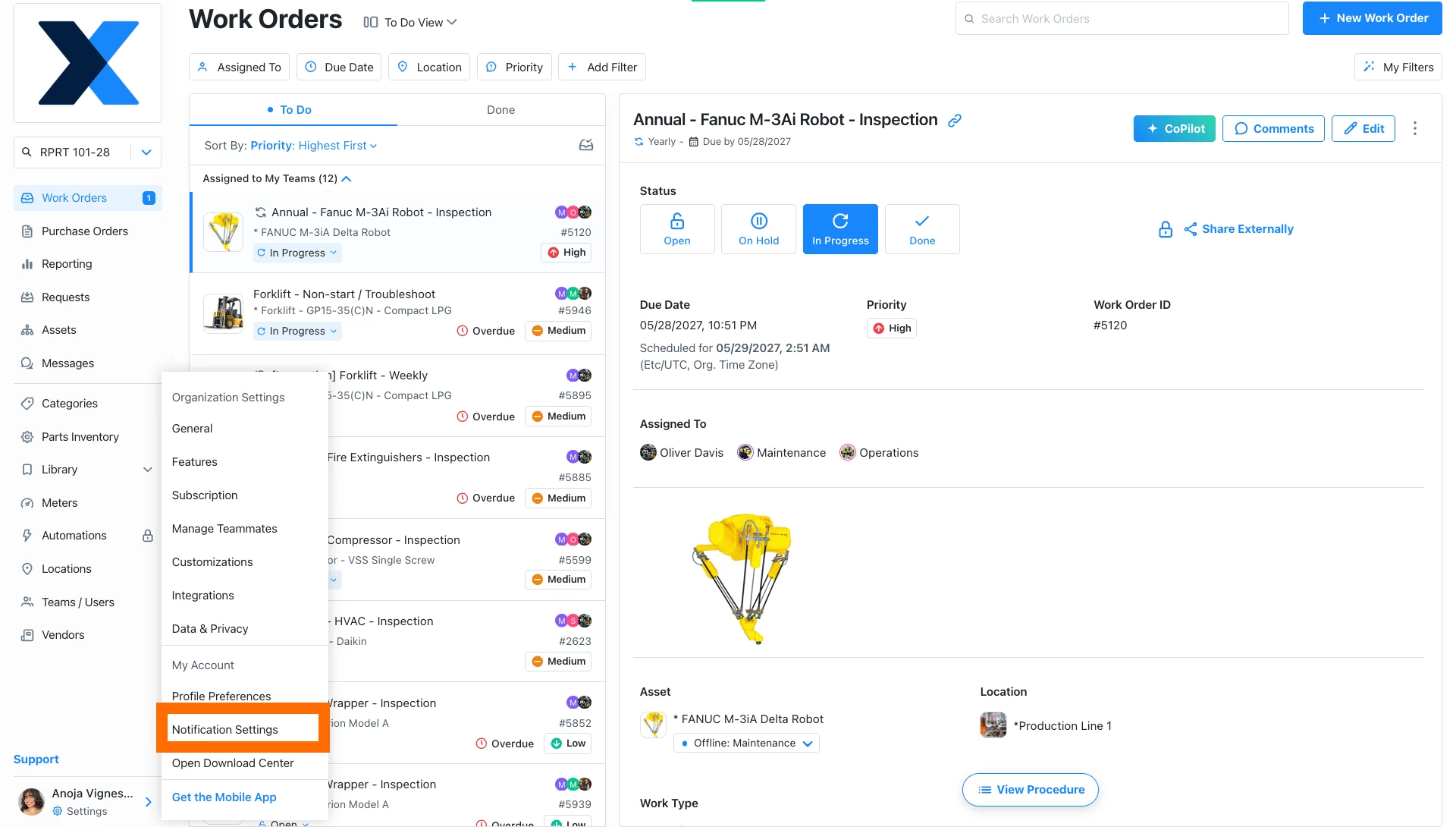
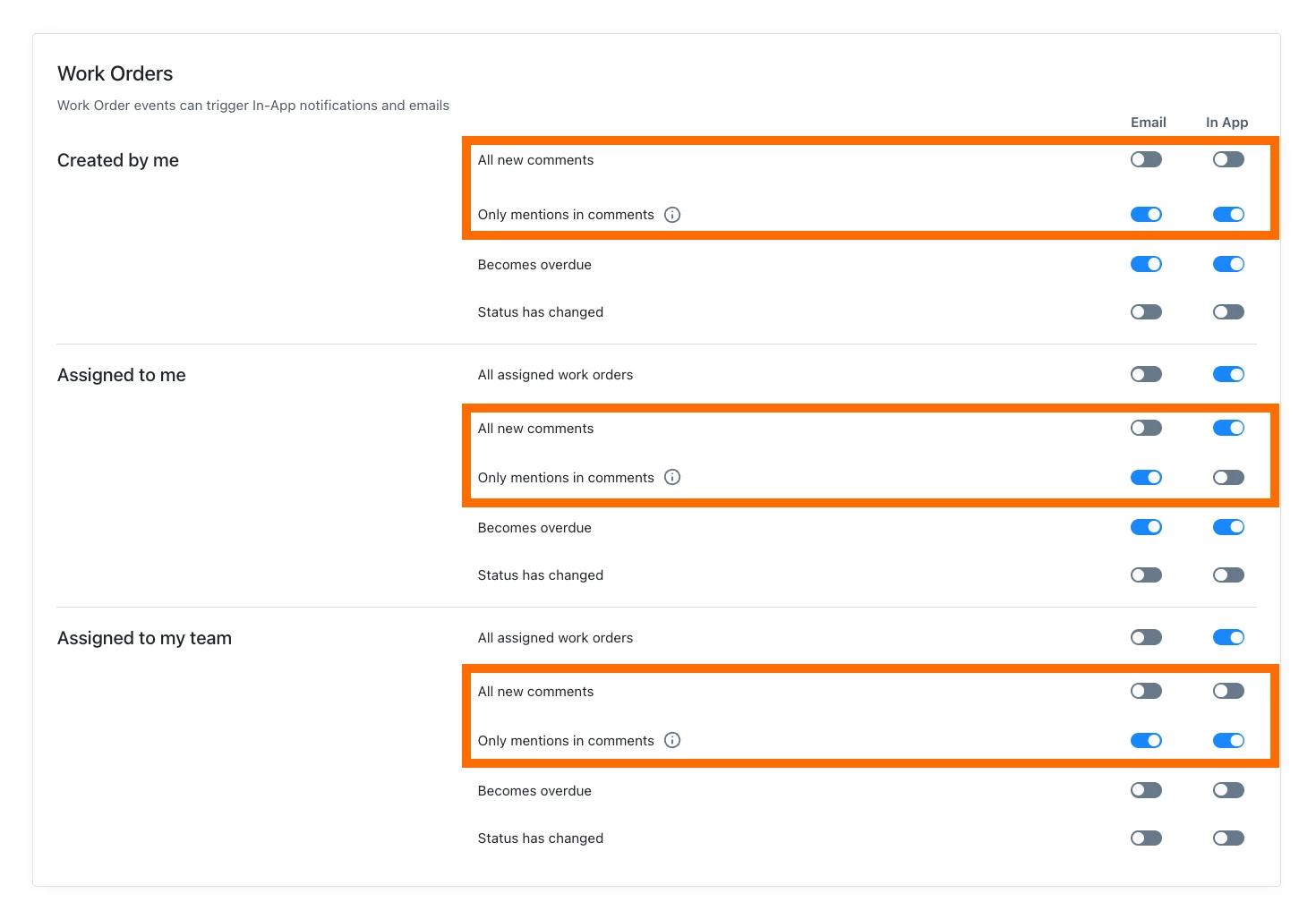
Click your Profile icon → Notification Settings


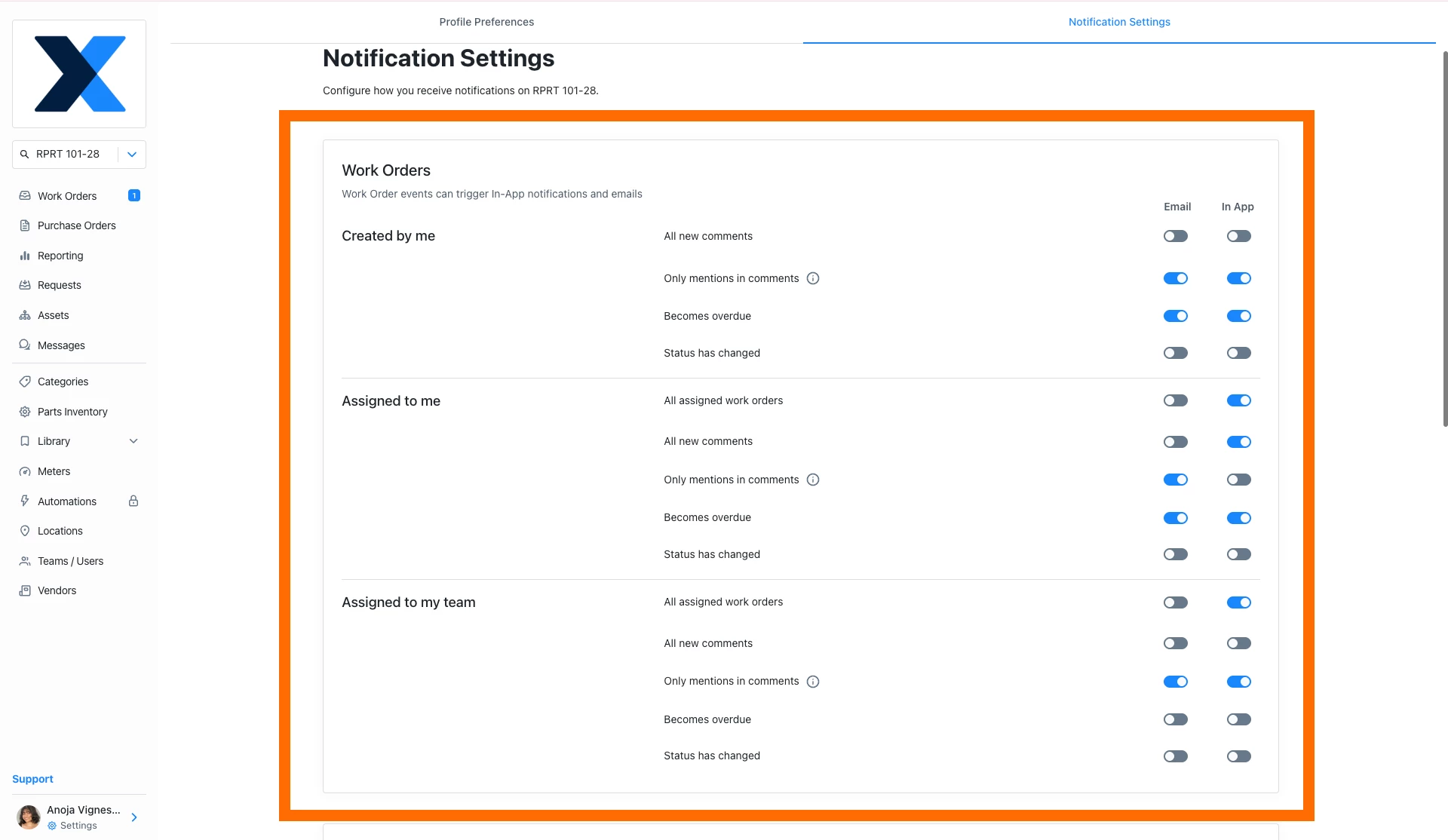
You’ll see the Work Orders section at the top

This section is organized by:

  • Created by me

  • Assigned to me

  • Assigned to my team


  1. Turn off work order status updates

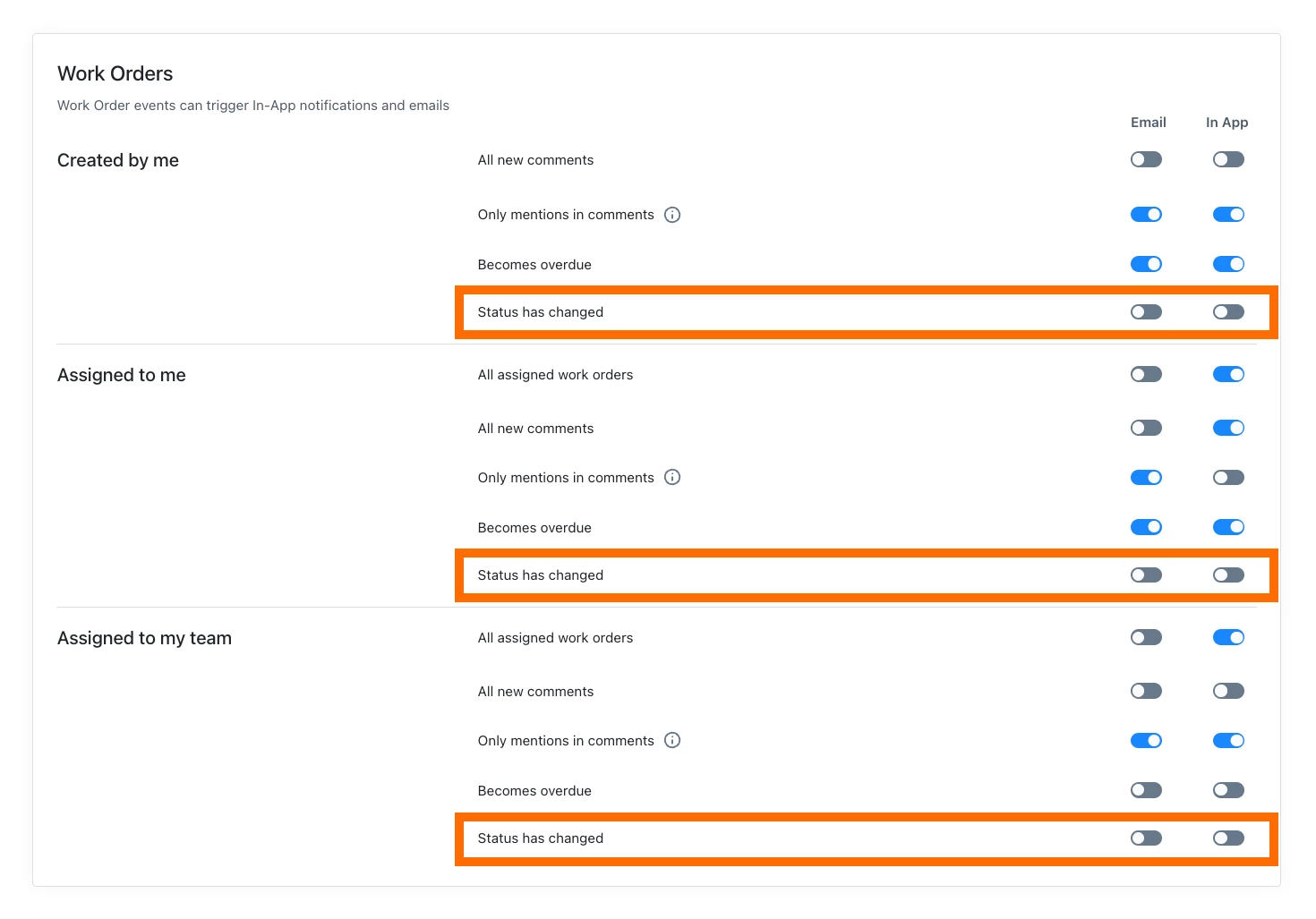
In each section, find “Status has changed”

Toggle this off for both Email and In-App if you don’t need those updates

Blue toggle = on

Grey toggle = off


  1. Get notified when someone asks for help

Find “All new comments” and “Only mentions in comments”

You can turn on either, or both, depending on how you want to be notified:

All new comments → you’ll see every comment

Only mentions → you’ll only be notified when someone @mentions you

  1. Track when parts need to be ordered

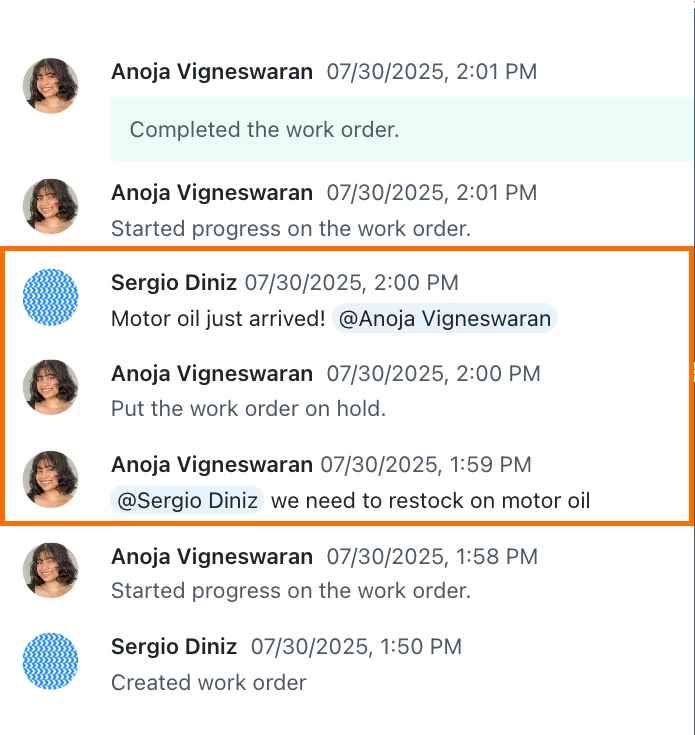
A common approach is to have technicians leave a comment on the work order when a part is needed

Once that approach is in place, you can use your comment notifications (All new comments or Only mentions in comments) to stay informed when those requests come in.

Comments section of a Work Order


These settings let you stay updated on the items that need your attention, without getting notified on every work order update.

Let me know if you have any follow-up questions!


~ Anoja | Senior Customer Education Specialist @ MaintainX