Question

How to archive old work orders?

  • January 2, 2026
  • 1 reply
  • 28 views

How can I archive work orders that were not carried out in the previous year? I am referring to preventive work orders, so if they were not completed, I must keep evidence that they were not carried out and therefore cannot close them.

Is there a way to create an additional status for work orders?

Is deleting them a form of archiving? That does not seem correct to me.


Thanks!

1 reply

Zach Brown
Forum|alt.badge.img+6
  • MaintainX Community Team
  • January 5, 2026

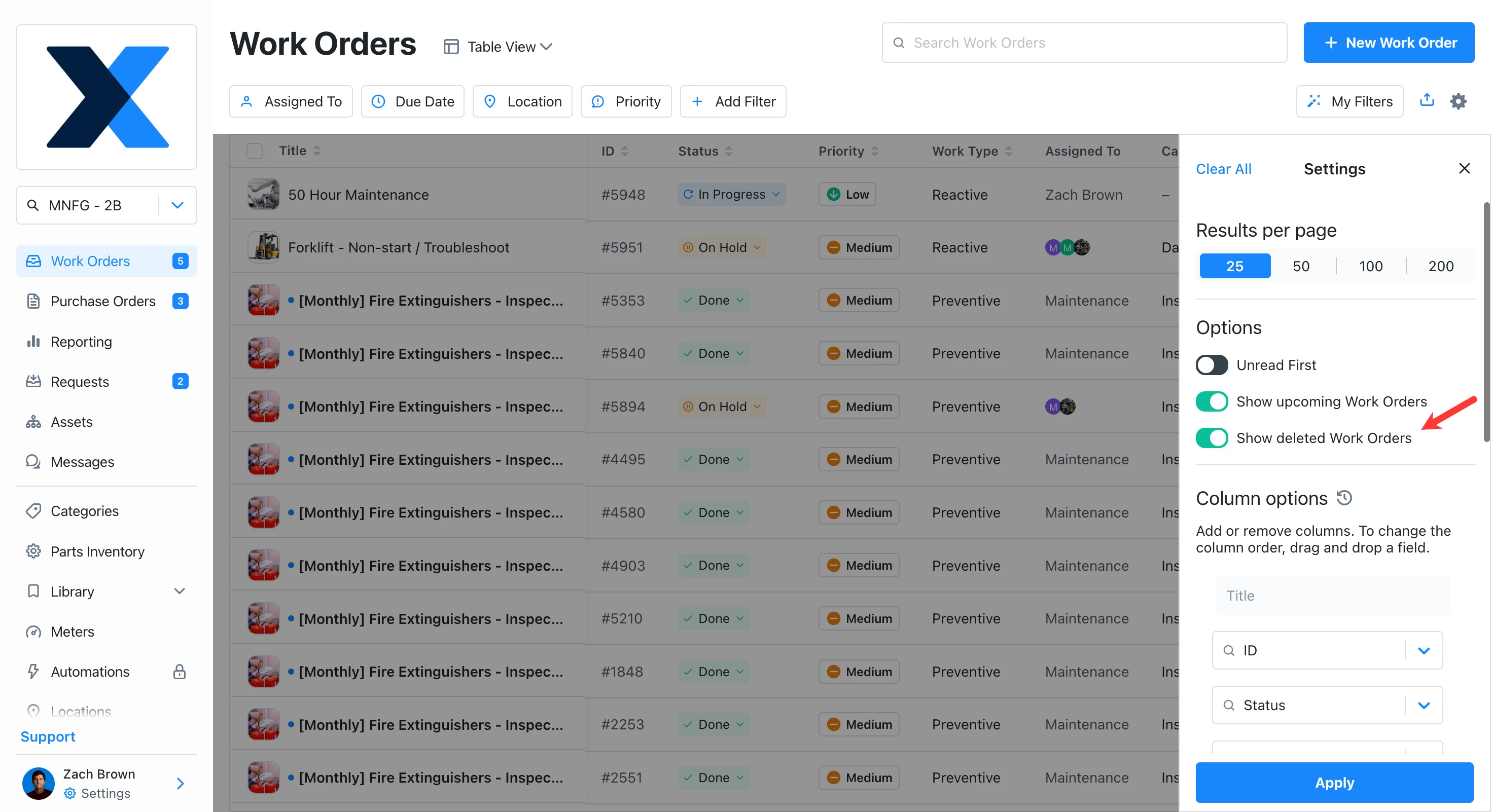
Hi ​@SofiaMiranda. When you delete a work order in MaintainX, the systems still keeps it on record (it’s a “soft delete”). To see deleted work orders change to the table view, open the setting panel (gear icon) and toggle on ‘Show deleted Work Orders’.


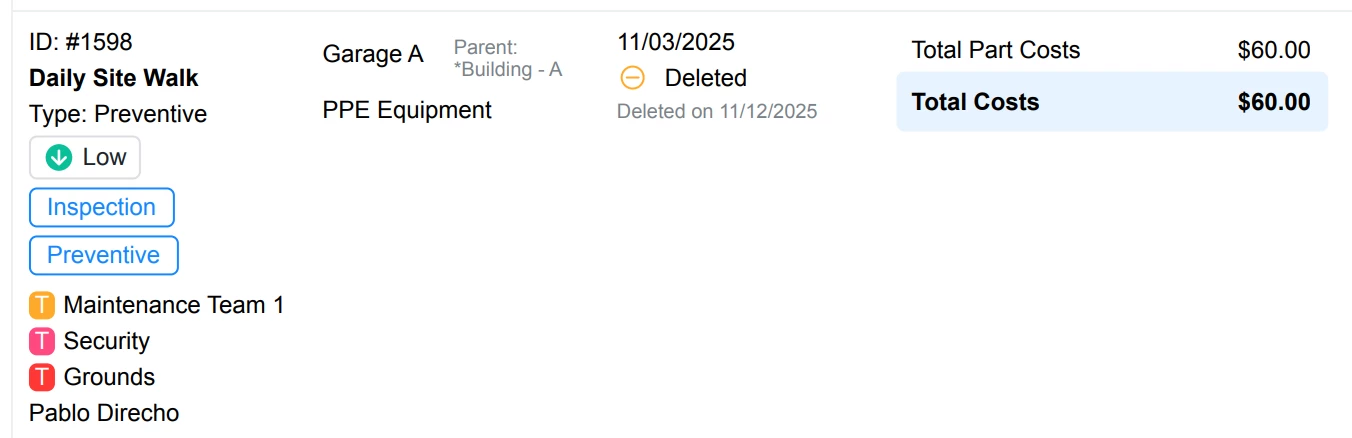
If you then export your work orders from this page, it will include deleted work orders. They will look like this:
​​​​​


So in this sense, the system does retain the evidence of the incomplete (deleted) work orders.

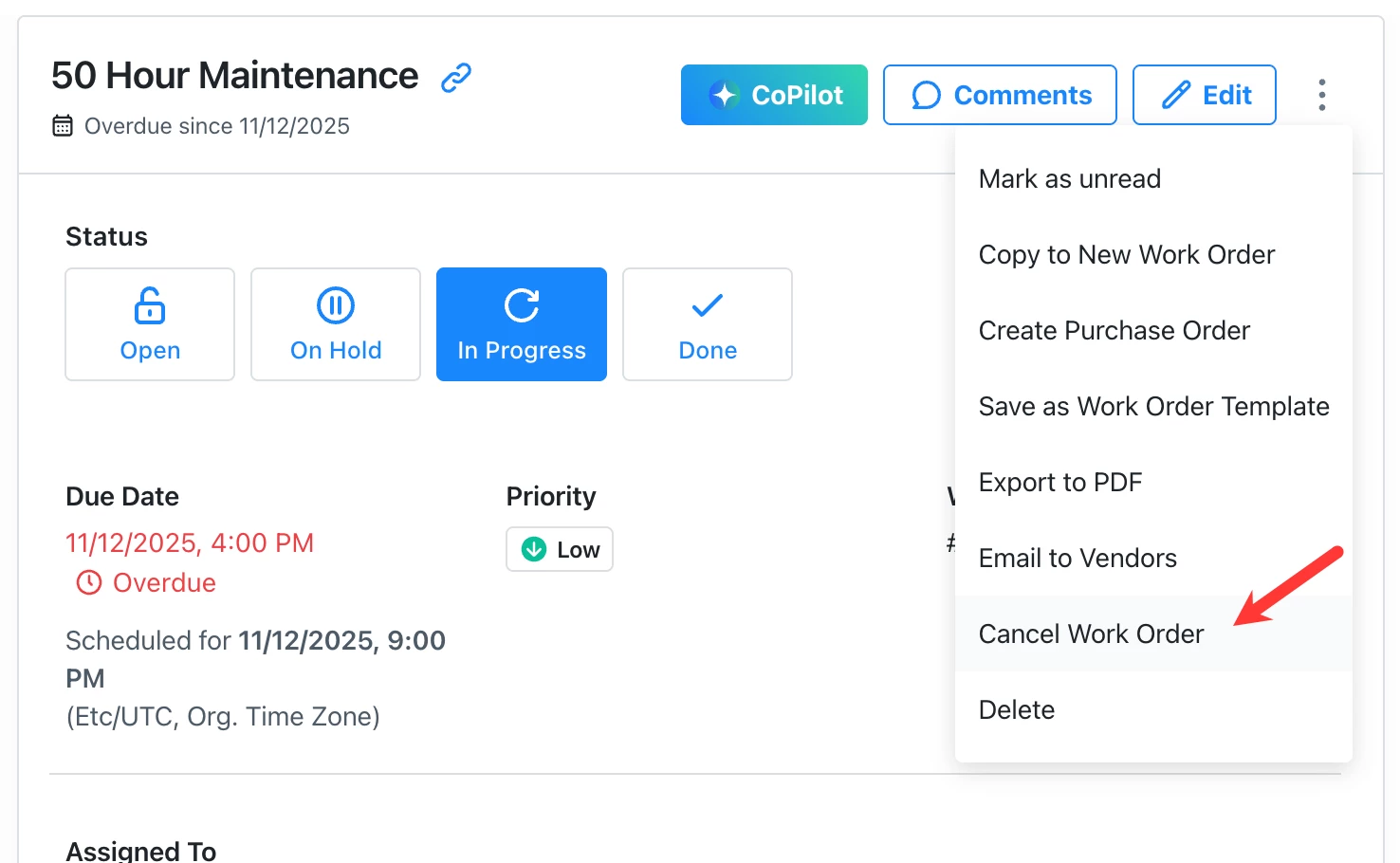
If you want to go a step further, your account manager can enable the options to cancel and skip work orders in your MaintainX organization. This would give you the option to cancel the incomplete work orders instead of deleting them.


You can read more about the cancel/skip functionality here: https://help.getmaintainx.com/skip-or-cancel-a-work-order

Hope this helps!