Question

Work order timers and asset status

  • December 8, 2025
  • 3 replies
  • 18 views

  • Emerging Technician

Good evening,


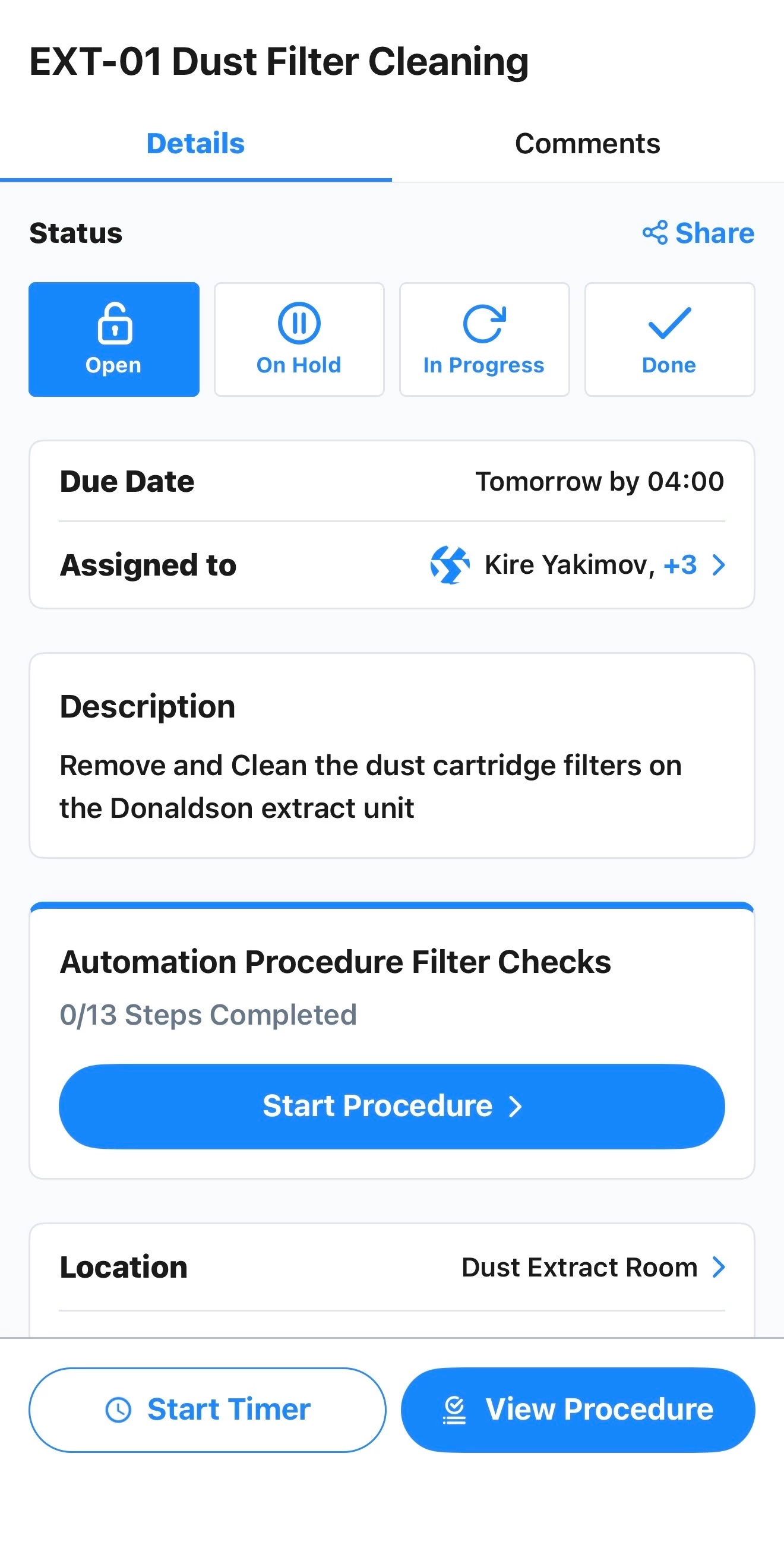
I was wondering if there was a way to start the timer on the mobile for the technician once they hit the “Start Procedure” button on the work order?


Is there also a way for a work order template to automatically demand the asset goes into an offline status?


cheers,

3 replies

Zach Brown
Forum|alt.badge.img+2
  • MaintainX Community Team
  • December 10, 2025

@Jamo thanks for raising these questions!

Regarding auto-starting the timer, this is currently not possible. We’ve intentionally kept the action of starting the procedure and starting the timer separate, in order to avoid unintentionally logging time against the work order. For example, if a technician wanted to look ahead at the steps involved in a procedure before they actually start a job, on the mobile app they would need to tap ‘Start Procedure’ in order to see the procedure fields. If doing this automatically started the timer (even though they haven’t started work yet, they are just reading ahead), this would incorrectly log time that’s not wrench time on the work order.

Regarding work order templates forcing an asset into offline status, this is also not possible. I’ve seen similar feedback related to automating asset status change via work order activity before, so I would encourage you to log it as a feature request with our Support team or our account manager. In the meantime, the only workaround that comes to mind would be to add a procedure to the work order template that contains a checkbox step reminding the technician to change the status of the asset to offline.


  • Author
  • Emerging Technician
  • December 10, 2025

Thanks for this Zach, is the view procedure not a separate entity for this exact reason?


Zach Brown
Forum|alt.badge.img+2
  • MaintainX Community Team
  • December 12, 2025

@Jamo I’m right there with you in thinking that the ‘View Procedure’ button and the ‘Start Procedure’ button would function differently. However, they have the some function - both buttons open the procedure on the work order.

I could see a world where we one day allow these buttons to function independently, so that ‘View Procedure’ only opens a read-only version of the procedure, and ‘Start Procedure’ opens the version you need for wrench time. It would then allow us to add more configurability to the ‘Start Procedure’ button - e.g. a toggle you would enable to auto-start the timer when ‘Start Timer’ is tapped.

I would submit this as product feedback to our Support team (or your account manager) as well.